Is Tasks.Bot Good for Slack Automation AI Tools?
You searched for a Slack automation AI tool and landed on a task manager that lives inside WhatsApp. That mismatch matters if your team already runs standups, approvals, and reminders in Slack channels. Before you commit, you need to know whether Tasks.Bot fits that stack or belongs somewhere else entirely.
This article covers what Tasks.Bot is, who it serves, and how its WhatsApp-first design works. You will get a direct answer on Slack compatibility, a look at its AI task creation, automations, field team tools, pricing, and trust signals. By the end, you can decide whether it belongs in your workflow.
What Is Tasks.Bot?
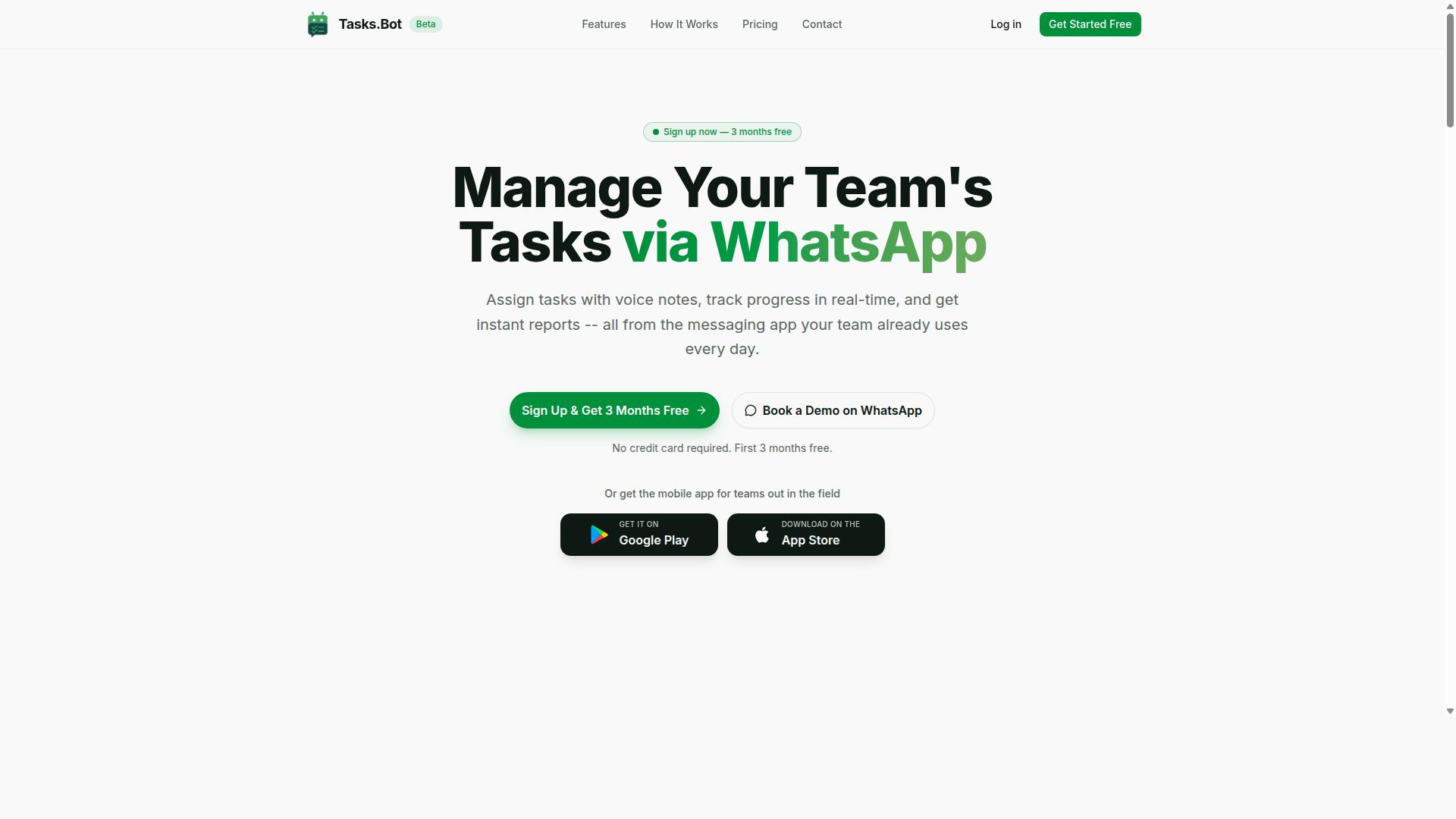
Tasks.Bot is a task management platform that operates primarily through WhatsApp, enabling teams to assign tasks and track progress without leaving the messaging app. It also offers a mobile app for field teams, giving workers a dedicated option when they are away from a desk.
The platform is currently in beta and includes a free trial period, so teams can evaluate it before committing. The service reports that hundreds of teams already use it.
This makes Tasks.Bot a different kind of tool from Slack-centric automation platforms. Most Slack apps assume the whole team lives inside a Slack workspace. Tasks.Bot starts from the opposite assumption: many teams, especially those with field staff, already run their daily communication through WhatsApp. Rather than asking everyone to adopt a new interface, it works inside the messaging app they already open dozens of times a day.
That distinction matters for the question of Slack automation. Tasks.Bot is not a Slack app, and it does not claim to be one. Understanding what it actually is, and who it is built for, is the necessary first step before judging how it fits alongside Slack-based AI tools.
Who Tasks.Bot Serves and How It Works
Tasks.Bot is designed for teams that already use WhatsApp for communication, particularly those with field staff who need task management, attendance tracking, and payroll-ready hours. That combination points to a specific kind of operation: crews, drivers, technicians, cleaners, or sales reps who are mobile rather than desk-bound.
For these teams, the usual productivity software stack can be a poor fit. A Slack workspace assumes reliable desktop or laptop access, and field workers often have neither. WhatsApp, by contrast, is already on their phones and already part of the job.
The core mechanics are deliberately lightweight. Tasks are created through natural language or voice notes, then assigned automatically and tracked with reminders. A supervisor can speak a task instead of filling out a form, which lowers the barrier for anyone uncomfortable with traditional project management interfaces.
Two details stand out for adoption:
- No new accounts or app installs are needed for team members to participate, since the work happens in WhatsApp.
- A mobile app for field teams is available as an additional option, not a requirement.
Attendance tracking and payroll-ready hours round out the picture. Rather than treating time capture as a separate system, Tasks.Bot ties it to the same tasks and conversations the team already has. The result is a workflow automation layer that fits the habits of field teams instead of demanding they change them.
Is Tasks.Bot Good for Slack Automation AI Tools? The Direct Answer
If you are specifically looking for a Slack automation AI tool, Tasks.Bot is not a direct fit because it does not connect with Slack; it operates entirely within WhatsApp. That single design choice shapes everything about how the product works and who it serves.
There is no Slack app, no bot framework built on the Slack API, and no way to trigger tasks from inside a Slack workspace. If your team collaboration already lives in Slack channels, Tasks.Bot will not slot into that environment. You would need a different automation platform for that setup.
This does not mean Tasks.Bot is a weak product. It means it is built for a different audience. The tool is a legitimate AI assistant for task management, attendance, and field tracking, just delivered through a messaging app that most Slack-first teams do not use as their primary work channel.
So the honest verdict for this narrow question: Tasks.Bot is a strong choice for WhatsApp-based teams and a poor match for Slack-centric workflows. The next section explains why the company made that call, and why it works well for the teams it targets.
Why Tasks.Bot Runs on WhatsApp, Not Slack
Tasks.Bot was built on WhatsApp because it is the most widely used messaging app globally, especially among field teams and small businesses that may not use Slack. That reach matters more than fitting into an office software stack.
The practical benefit is onboarding. Because Tasks.Bot operates entirely within WhatsApp, team members don't need to install anything or create new accounts. A worker who already uses WhatsApp for personal messages can start receiving and creating tasks the same day, with no training on a new interface.
Slack, by contrast, skews toward tech-centric, office-based teams. It is popular in software, startups, and knowledge work, but it is far from universal. In many sectors and regions, WhatsApp is the default communication layer for both personal and business use. Building on Slack would have excluded a large share of the teams that need simple task management most.
Field staff are a clear example. People working on site, in transit, or away from a desk are unlikely to keep a Slack workspace open. They are very likely to have WhatsApp on their phone. Designing around that reality is a deliberate trade-off, not an oversight.
Tasks.Bot also uses AI to understand natural language and voice notes for task creation, which fits the informal, fast style of WhatsApp conversations. A quick voice message can become a tracked task without typing a formatted Slack command. For teams that value no-code automation and low friction over deep integrations, that approach delivers real value.
The company backs this positioning with enterprise-grade encryption, and it states that conversations and task data are never shared or used for training. It also offers a 3-month free trial with no credit card required, so a WhatsApp-based team can evaluate the fit before committing. If your workflow is Slack-first, look elsewhere. If it runs on WhatsApp, Tasks.Bot is built precisely for you.
Key Features and What Makes Tasks.Bot Stand Out
Tasks.Bot packs a range of features designed to streamline task management for WhatsApp-based teams, from AI-powered task creation to field-specific tools. What sets it apart is how it combines conversational AI with workflow automation in a single platform.
Instead of forcing teams to learn a new interface, Tasks.Bot works through native WhatsApp integration, meeting users where they already communicate. The platform also offers Android and iOS apps with push notifications, voice capture, and a home screen widget for quick access.
The feature set falls into three main categories, each covered in detail below:
- AI task creation through natural language and voice notes
- Automations and approvals with smart deadline reminders
- Field team tools including GPS tracking, face-verified attendance, and a live day tracker
Each of these areas addresses a different pain point in team collaboration and project management. Together, they form a system that handles everything from capturing a quick instruction to verifying that field work actually happened.
AI Task Creation via Natural Language and Voice Notes
Tasks.Bot uses AI to understand natural language and voice notes, allowing users to create tasks simply by sending a message or voice clip in WhatsApp. There are no special commands to memorize and no rigid syntax to follow.
The platform's AI interprets user intent, pulling out the key details needed to build a complete task. A message like "Remind John to submit the report by Friday" becomes an assigned task with a due date, without any extra steps.
Voice notes work the same way. A manager can record a quick clip saying "Schedule a site visit for tomorrow at 10 AM" and the system turns it into a structured task with the right timing attached.
This approach removes a major source of friction in task management. Typing out detailed task forms on a phone is slow, and many team members simply avoid it. By letting people speak or type naturally, Tasks.Bot lowers the barrier to task creation.
The result is faster entry and better follow-through. Tasks get captured in the moment rather than forgotten, which matters for teams working across shifts or in the field. The AI handles the parsing, so users can focus on the work itself.
Automations, Approvals, and Smart Deadline Reminders
Tasks.Bot automates routine workflows such as task assignment, deadline reminders, and approval chains to keep projects moving without manual follow-ups. These features reduce the administrative overhead that often slows teams down.
Automatic task assignment means work gets routed to the right person based on rules, not on someone remembering to delegate. Smart deadline reminders keep tasks visible as due dates approach, and they escalate when something is overdue.
Consider a simple example. If a task is not marked complete by its deadline, the system sends a reminder to the assignee and their manager. That single automation creates accountability without anyone chasing status updates by hand.
Approval workflows add another layer of control. Managers can approve or reject completed tasks directly, which keeps quality standards consistent and creates a clear record of sign-off. This is especially useful for teams handling client work or regulated processes.
For teams exploring workflow automation, these capabilities cover much of what people typically look for in a Slack automation platform or a Zapier alternative. The difference is that Tasks.Bot builds this logic into a conversational interface rather than a separate dashboard. The outcome is fewer dropped tasks and less time spent on coordination.
Field Team Tools: GPS Tracking, Face-Verified Attendance, and Live Day Tracker
For teams with field staff, Tasks.Bot offers GPS tracking, face-verified attendance, and a live day tracker to monitor progress and ensure accountability. These tools are available through the mobile app, so they work wherever the job takes the team.
GPS tracking provides location verification for tasks completed on site. Managers can confirm that work happened where it was supposed to, rather than relying on self-reporting alone.
Face-verified attendance addresses a common field problem: buddy punching. When attendance is tied to a face check, it becomes much harder for one person to clock in on behalf of another.
The live day tracker shows real-time task status across the team. Managers get a running view of who is working on what, which helps with scheduling and spotting delays early.
These features also support payroll-ready hours through the platform's shifts, leave, and hours management. That means the same system used for task tracking can feed into timekeeping, cutting down on duplicate data entry.
Tasks on a map round out the field toolkit, giving a geographic view of active work. For businesses managing remote or mobile crews, this combination of location, attendance, and progress data creates a level of oversight that is hard to achieve with messaging alone.
Pricing and Plans
Tasks.Bot offers a single 'Full Access' plan with all features included, priced at ₹200 per member per month or ₹1,200 per member per year. That straightforward structure means there are no tiers to compare, no locked capabilities, and no upgrade maze to navigate before your team can use the tool for Slack automation.
For teams evaluating AI tools, tiered pricing is often the first friction point. Free plans typically cap usage, premium features sit behind higher brackets, and you end up guessing which level matches your needs. Tasks.Bot removes that guesswork entirely by giving every paying member the same complete feature set.
The plan is available in two currencies through a 'Select currency' option on the site: Indian Rupees (₹) and US Dollars ($). International teams can pay in USD, while Indian users can pay in INR without conversion hassle.
Here is how the two billing cycles compare:
| Billing Cycle | Price (INR) | Notes |
|---|---|---|
| Monthly | ₹200 per member per month | Flexible, pay as you go |
| Annual | ₹1,200 per member per year | Save 50%, save ₹1,200/yr per member |
The annual option works out to roughly half the cost of paying month to month. For a team of five, that difference adds up quickly across a year of task management and workflow automation.
New users also get 3 months free, with no credit card required. You can cancel anytime, which lowers the risk of trying the Slack app before committing budget. Tasks.Bot is currently in beta, and a refund policy is in place, so early adopters have a safety net while the product matures.
Compared with many automation platforms that meter tasks, seats, or workflow runs across separate plans, a flat all-inclusive price is easier to budget. There are no hidden upgrade prompts waiting mid-project, and scalability concerns are simpler when every member costs the same regardless of how heavily they use the tool.
Trust Signals and Track Record
Tasks.Bot is currently in beta and used by hundreds of teams, with a refund policy and a 'Book a Demo on WhatsApp' option as trust signals. Those three details tell a reader a lot about how the product is positioned. It is a working tool with real users, not a concept page, and the company has put visible safety nets around the decision to try it.
Beta status is worth understanding before signing up for any Slack automation tool. A product in beta is still being shaped, which usually means faster iteration and closer attention to user feedback. For teams evaluating an AI assistant for a Slack workspace, that trade-off matters. You get early access to a developing platform, and you accept that some rough edges may still exist.
The fact that hundreds of teams already use Tasks.Bot during beta is a meaningful signal. Early adoption at that scale suggests the core value, task creation, reminders, and notifications inside WhatsApp, is landing with real users rather than just early testers. It also means the feedback loop feeding product development is active.
Refund Policy and Demo Booking
A refund policy listed in the site footer is a simple but important trust marker. It shifts some of the financial risk away from the buyer and signals that the company expects users to evaluate the tool honestly. For anyone weighing a paid commitment to workflow automation software, that policy is one of the first things worth checking.
The 'Book a Demo on WhatsApp' option serves a different purpose. It gives prospective users a direct, low-friction way to see the product before committing. Instead of relying only on marketing pages, a team can ask questions, see the tool in context, and judge whether it fits their WhatsApp-based workflow.
Together, these two signals point to a company that is comfortable being evaluated up close. Neither is a substitute for trying the product, but both reduce the cost of finding out whether Tasks.Bot fits your team.
Transparency, Privacy, and Support
Transparency is the thread connecting these signals. A visible beta label, a stated refund policy, and an open demo channel all communicate the same thing: the company is not hiding where the product stands. For a tool that touches team conversations and task data, that posture matters.
Data privacy and security are reasonable concerns for any tool handling team conversations and task data. Readers should review Tasks.Bot's own documentation and policies for the specifics on how data is handled, since those details are the authoritative source. What can be said confidently is that the company presents its terms openly rather than burying them.
Customer support access through the demo booking option also gives users a real channel to raise questions before and during use. For teams comparing automation platforms, that accessibility is part of the overall user experience, not an afterthought.
Weighed together, the beta status, the user base of hundreds of teams, the refund policy, and the demo option form a credible track record for a product at this stage. Tasks.Bot reads as a legitimate, actively developed WhatsApp-based task management tool that invites scrutiny rather than avoiding it.
Who Should Use Tasks.Bot
Tasks.Bot is ideal for teams that rely on WhatsApp for communication, especially those with field staff who need task management, attendance tracking, and payroll-ready hours. The service is built around the way these teams already work, so there is no need to move daily conversations into a new app.
Small and medium businesses tend to get the most value from Tasks.Bot. They often have lean admin teams, so automating routine coordination frees up real hours every week. Hundreds of teams already use the service, which suggests the fit is not limited to one industry or region.
Remote teams that coordinate over WhatsApp are another strong match. When a manager can assign work and confirm completion inside the same chat thread the team already uses, task management stops feeling like a separate job.
Three field-heavy sectors stand out as natural fits:
- Construction crews, where supervisors need to confirm attendance and log site tasks without paperwork.
- Delivery operations, where drivers receive assignments and confirm completion on the move.
- Sales teams in the field, where visits, follow-ups, and hours need to be tracked without a desk-based system.
In each case, the common thread is a workforce that is mobile, chat-first, and paid by hours that someone has to verify. Tasks.Bot targets exactly that combination of task management, attendance tracking, and payroll-ready hours.
The contrast matters just as much. Teams whose primary communication happens inside a Slack workspace are not the intended audience for Tasks.Bot. If your daily coordination, task creation, and reminders already live in Slack channels, a WhatsApp-based tool adds a second place to check rather than removing one.
That does not make Tasks.Bot a weak product. It makes it a focused one. Slack automation platforms, AI tools, and no-code automation services cater to desk-based teams that want workflow automation inside their existing Slack app. Tasks.Bot serves the opposite profile: teams whose operational reality is a phone in hand, not a laptop on a desk.
Before choosing, ask one simple question. Where do most of your task-related messages actually get sent? If the answer is WhatsApp, Tasks.Bot fits. If the answer is Slack, look at Slack-native options instead.
For the right team, the practical benefits show up quickly. Attendance and hours flow into records that are ready for payroll rather than reconstructed later from scattered messages. Supervisors spend less time chasing confirmations and more time on the work itself.
Scalability is another consideration. A small crew of five and a growing operation of fifty face the same coordination problem, just at different volumes. Because Tasks.Bot works through a channel the team already uses, onboarding new staff requires little training. There is no new interface to learn, which matters when field staff turn over or work on short contracts.
Teams that should look elsewhere are equally clear. If your staff rarely use WhatsApp, or if your company policy keeps operational communication inside a Slack workspace, Tasks.Bot is not the right fit. The tool is designed around one channel, and that focus is a strength for the teams it serves, not a limitation to work around.
The verdict for this question is straightforward. Tasks.Bot is a good choice for WhatsApp-first teams with field staff, and a poor fit for Slack-first teams. Match it to the right workforce and the value is immediate.
Final Verdict
Tasks.Bot is a powerful WhatsApp-based task management tool, but it is not a Slack automation AI tool, so if your team lives in Slack, you should look elsewhere. That single distinction answers the question in this article's title, and it is worth stating plainly rather than burying under feature comparisons.
The confusion is understandable. Both categories promise workflow automation, both use AI assistant language, and both aim to reduce the manual effort of assigning work and chasing updates. The difference sits in the platform each one is built around.
For teams whose daily communication happens on WhatsApp, Tasks.Bot addresses a real problem well. Field teams, sales staff, and small operations groups often coordinate entirely through chat, and asking them to adopt a separate project management dashboard creates friction that few teams overcome.
Tasks.Bot meets those users where they already are. Its natural language processing and conversational AI let people create tasks and set reminders without learning a new interface, which matters when the people doing the work are not sitting at a desk.
Ease of use is the core strength here. A tool that requires training tends to be abandoned, while one that works inside an existing chat habit tends to stick. That is the audience Tasks.Bot serves, and it serves them without asking them to change how they communicate.
The limitation for Slack users is structural, not a matter of missing polish. A WhatsApp-based chatbot cannot become a Slack app simply by being good at what it does. The two platforms have different interfaces, different command structures, and different ways of handling notifications.
Slack automation depends on things like Slack commands, slash triggers, channel behavior, and the Slack API. A tool built for WhatsApp does not participate in that ecosystem, so it cannot deliver the in-channel task creation and threaded updates that Slack-native tools provide.
If your Slack workspace is the center of your team collaboration, choosing Tasks.Bot means running your task management somewhere else entirely. That defeats the purpose of automation, which is to reduce context switching rather than add a second place to check.
None of this makes Tasks.Bot a weak product. It makes it the wrong product for one specific use case. Readers searching for a Zapier alternative or an automation platform that plugs into Slack should keep looking, and that is a fair conclusion rather than a criticism.
The right buyer is a WhatsApp-centric team that wants task creation, reminders, and notifications handled inside the chat app everyone already uses. For that group, the tool removes a genuine daily headache.
- Good fit: teams coordinating primarily over WhatsApp, including field and sales groups
- Good fit: users who want a chatbot-style virtual assistant rather than a dashboard
- Poor fit: organizations that need task management to live inside Slack
- Poor fit: teams evaluating Slack integration as a hard requirement
Before committing, confirm two things: that your team's real communication hub is WhatsApp, and that you do not need the work to surface inside a Slack workspace. If both hold true, Tasks.Bot is a reasonable choice. If either fails, the search continues.
If you want to see how Tasks.Bot works for WhatsApp-based teams, or you have questions about whether it suits your setup, reach out directly. The team can be contacted by phone at +91 97143 42522 or by email at [email protected] to discuss a demo or answer inquiries.
Come prepared with a clear picture of where your team actually communicates. That one detail determines whether Tasks.Bot is the right tool or simply the wrong platform for your needs, and it is the fastest way to get a useful answer.
Frequently Asked Questions
What exactly is Tasks.Bot, and how does it work with Slack?
Tasks.Bot is a task management platform that operates primarily via WhatsApp, letting teams assign tasks, track progress, and receive reports right inside the messaging app they already use. It also offers a mobile app for field teams, and you can book a demo directly on WhatsApp to see it in action. If your team lives in Slack but your field or frontline staff rely on WhatsApp, Tasks.Bot is worth evaluating as a complement to your existing automation stack rather than a Slack-native replacement.
Do we need to install new software or create accounts for our team to use it?
No. Tasks.Bot operates entirely within WhatsApp, so team members don't need to install anything or create new accounts to get started. That makes onboarding fast, especially for field staff who may not be comfortable with yet another app. A mobile app is available for field teams that need it, but the core experience runs through WhatsApp.
What features does Tasks.Bot offer for task automation?
Tasks.Bot supports voice note task creation, automatic task assignment, smart deadline reminders, approvals and automations, and instant reports. It also includes tasks on a map, live day tracking, and face-verified attendance, which is useful for teams with field staff who need attendance tracking and payroll-ready hours. These features are designed to reduce manual follow-up and keep work moving without leaving the chat.
How much does Tasks.Bot cost?
Tasks.Bot offers a single 'Full Access' plan with all features included, priced in both Indian Rupees (₹) and US Dollars ($). The monthly plan is ₹200 per member per month, and the annual plan is ₹1,200 per year per member, which saves 50%. There's no need to compare tiers or guess which features you'll unlock later - everything is included.
Is Tasks.Bot available in my country?
Yes. Tasks.Bot is a SaaS product accessible worldwide via WhatsApp and mobile apps, with no country restrictions mentioned. As long as your team uses WhatsApp, you can use Tasks.Bot. The service is currently in beta, so it's a good idea to book a demo on WhatsApp to confirm it fits your specific workflow.
How does Tasks.Bot compare to Slack's built-in automation tools?
Slack's native automation is built around channels and workflows inside Slack, while Tasks.Bot is built around WhatsApp - so the two serve different parts of your organization rather than competing head-to-head. If your field staff or frontline teams communicate on WhatsApp, Tasks.Bot brings task assignment, attendance, and reporting into that space without forcing them onto a new platform. Many teams use both: Slack for internal office collaboration and Tasks.Bot for field operations. For specific competitor pricing or feature details, check each vendor's official documentation, as those change over time.
How do we get started or ask questions before committing?
You can book a demo on WhatsApp directly from the Tasks.Bot website, which lets you see the workflow in the same environment your team would use it. For questions, reach out at [email protected] or call +91 97143 42522. The site also mentions a refund policy in the footer, so it's worth reviewing before you purchase.
Recommended Resources: