9 Top Cloud PACS Platforms for Cloud-Based PACS
Storage costs climb, the viewer freezes mid-read, and your radiologists start routing around the system. That is usually the moment someone opens a spreadsheet and starts comparing cloud PACS vendors.
This article breaks down what actually matters in a cloud PACS, then walks through 9 platforms including Medicai, ProtonPACS, Studycast, UltraLinq, Intelerad, Fujifilm Synapse, OmniPACS, RamSoft, and NovaPACS. You will finish with clear criteria for migration, security, and integration, plus a defensible pick for your practice.
What to Look For in a Cloud PACS Platform
Evaluating a cloud PACS requires looking beyond basic image storage to consider security, interoperability, scalability, and total cost of ownership. A picture archiving and communication system sits at the center of radiology workflow, so the wrong choice affects radiologists, referring physicians, and patients alike.
Use the criteria below as a practical checklist when comparing cloud-based PACS vendors. Ask for documentation, not just marketing claims, and confirm that each item is covered in the contract.
Regulatory compliance. For any platform handling patient data in the United States, HIPAA compliance is non-negotiable. If you operate in or serve patients from Europe, GDPR applies as well. Request a signed Business Associate Agreement and ask where data is stored and who can access it.
Clearance for diagnostic use. A cloud PACS used for primary diagnosis should carry FDA 510(k) clearance or a valid CE marking. Without it, the software may be limited to reference viewing rather than diagnostic imaging. Verify the clearance covers the specific intended use.
Zero-footprint DICOM viewer. The viewer should run in a standard web browser with no local installation, which supports teleradiology and remote radiology. Confirm it handles the modalities and study sizes your practice reads, and that performance holds up over typical home or clinic connections.
Interoperability and integration. Look for support for HL7 and FHIR so the platform connects with your EHR or EMR. Integration with existing radiology information systems and modality worklists reduces manual steps and duplicate entry. Ask which APIs are publicly documented and which require custom work.
- Vendor-neutral archive (VNA) capabilities: stores images in standard DICOM format so data is not locked to one vendor
- Encryption at rest and in transit: protects medical image storage and patient records across the full data path
- Disaster recovery with defined RPO and RTO: clarifies how much data could be lost and how quickly service resumes after an outage
- Image sharing and exchange: lets clinicians send studies to referring providers or patients without physical media
Scalability and uptime. Review the service level agreement for guaranteed uptime, commonly 99.9% or higher, along with remedies if targets are missed. Check storage limits, overage terms, and how quickly the platform can absorb growth in study volume.
Pricing transparency. Compare subscription pricing against pay-per-study models and model both against your expected volume. Ask about migration costs, training, interface fees, and any charges for data export, since these shape total cost of ownership.
Before signing, ask each vendor how migrations are handled, what happens to your data if you leave, and whether historical studies transfer in full fidelity. A short pilot or reference call with a similar practice often reveals more than a feature matrix.
1. Medicai - Best Overall
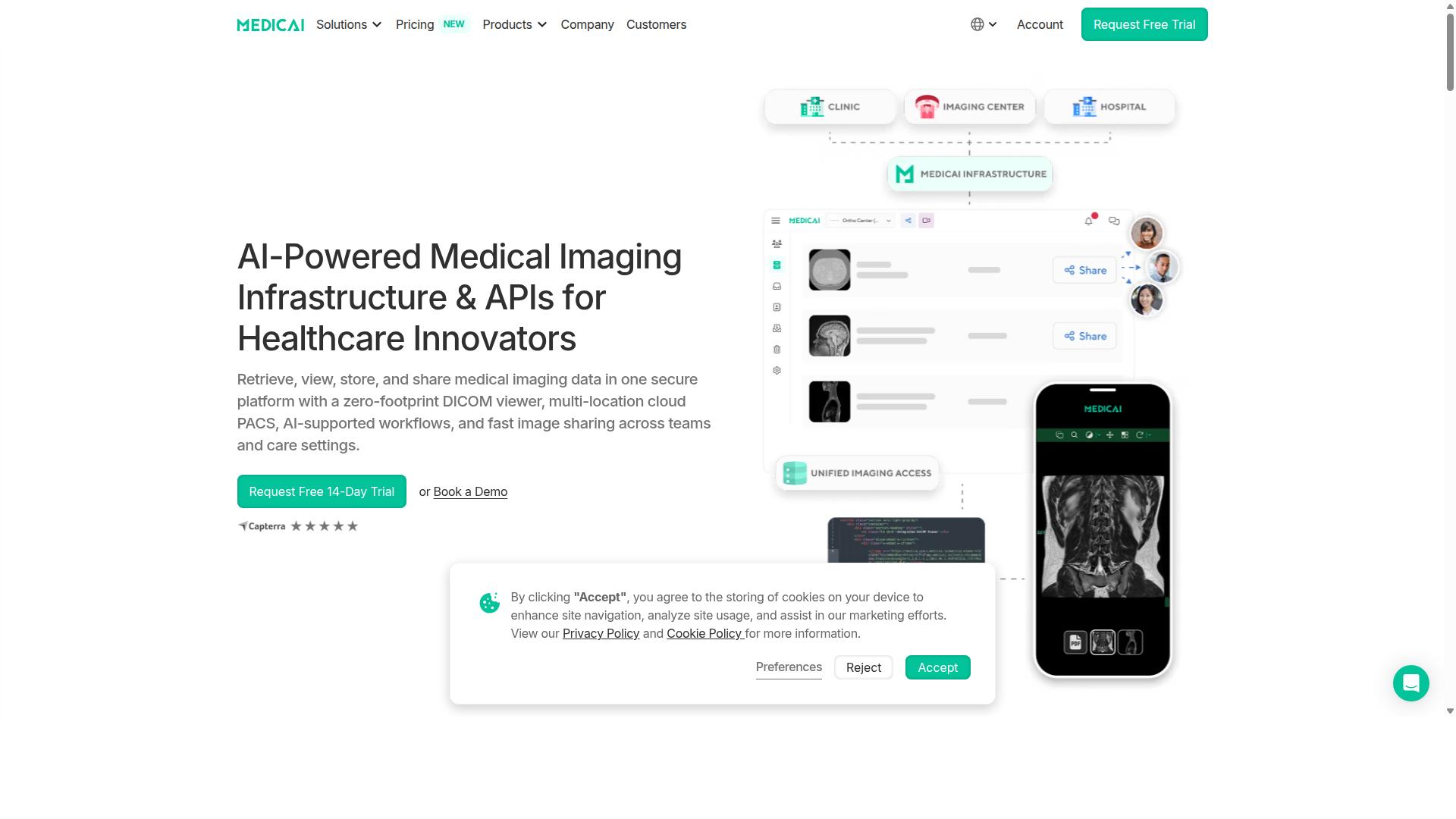
Medicai stands out as the best overall cloud PACS due to its comprehensive feature set, proven reliability, and strong compliance credentials. It is a cloud-based medical imaging platform that lets healthcare providers retrieve, view, store, and share medical imaging data in one secure platform, complete with a zero-footprint DICOM viewer and multi-location cloud PACS.
Unlike many tools that handle only one piece of the imaging puzzle, Medicai covers the full journey from image capture to collaboration. It also supports AI-assisted workflows and fast image sharing across teams and care settings, which matters for hospitals juggling multiple sites and specialists.
The platform's scale is a strong signal of reliability. Medicai processes over 1 million studies annually, holds 1.7 million studies in storage, and recorded 300,000+ DICOM visualizations in the last year, along with 50 million+ yearly API transactions. That kind of volume reflects a platform built for real clinical workloads, not just pilot projects.
Compliance and access round out the case. Medicai is HIPAA and GDPR compliant and offers FDA and CEE cleared viewers, making it a fit for regulated healthcare environments. It is available globally and delivers Imaging Infrastructure as a Service (IIaaS), which suits organizations that want modern imaging infrastructure without building it in-house.
Key Features, Pricing, and Who It's Best For
Medicai offers a robust suite of features tailored to diverse healthcare providers, with transparent pricing tiers and broad applicability. Its capabilities are grouped into three practical areas: getting images in, managing them at scale, and putting them to work for clinical teams.
For connecting and retrieving data, Medicai provides a Medical Imaging Uploader and a DICOM Gateway. These tools help bring imaging data into the platform from the sources a provider already uses, reducing friction during onboarding and day-to-day intake.
For storing and managing, the platform includes Cloud PACS, Medical Image Exchange, Patient Case Management, a Vendor Neutral Archive (VNA), and Backup and Disaster Recovery. Together these cover medical image storage, image sharing, and the data protection safeguards that health IT teams expect.
For access, visualization, and collaboration, Medicai offers Structured Reporting for Radiology, a Doctor Imaging Portal, a Patient Imaging Portal, a DICOM Viewer, the Medicai Imaging API, and a Mobile Imaging App. Additional offerings include a Radiology AI Co-Pilot, AI-Powered Diagnostics, Teleradiology, a Medical Image Sharing Platform, and Tumor Boards support.
Pricing is straightforward and subscription-based:
- Starter: $249 per month for 500 GB cloud storage, unlimited user accounts, and no connected locations
- Standard: $749 per month for 2 TB cloud storage, unlimited user accounts, and one connected location
Medicai is best suited to hospitals, imaging centers, and specialty care providers across orthopedics, neurology, oncology, radiology, cardiology, ophthalmology, ob-gyn, pulmonology, dentistry, and gastroenterology. It also integrates with platforms such as Microsoft Azure, Amazon AWS, and MD.ai, which helps teams fit it into existing infrastructure and imaging informatics workflows.
2. ProtonPACS
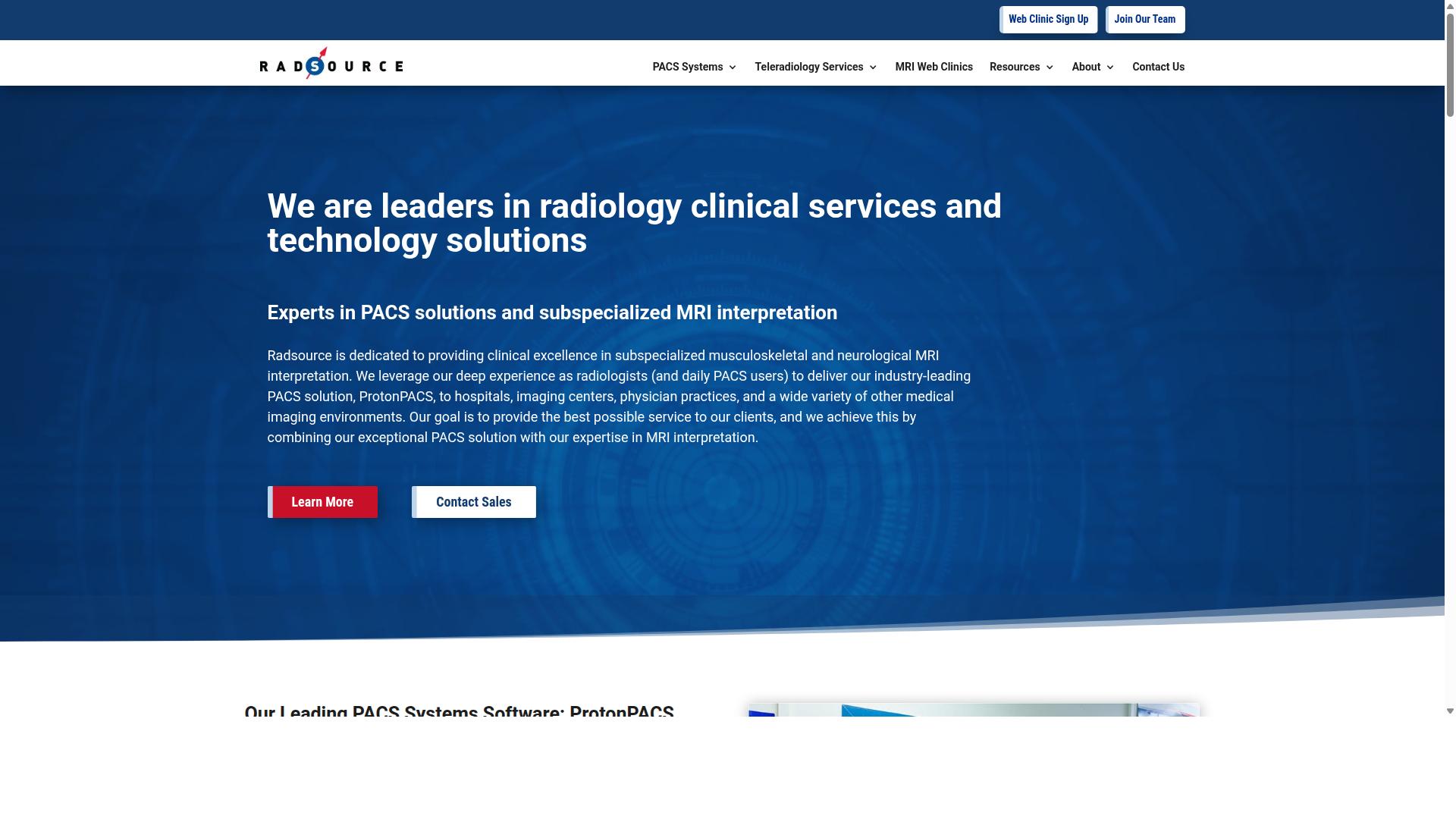
ProtonPACS is a cloud-based PACS solution known for its user-friendly interface and strong integration capabilities. Developed by Radsource, it centralizes the storage and management of medical images from MRI, CT, x-ray, ultrasound, and other modalities. The platform is aimed at radiology professionals, orthopaedic practices, hospitals, and imaging centers that want streamlined workflows without maintaining on-site servers.
For teams weighing cloud-based PACS options, ProtonPACS sits in the category of full-service platforms rather than lightweight viewers. It combines medical image storage with a set of reading and workflow tools in a single environment. That combination tends to appeal to facilities that want one vendor for both archiving and day-to-day diagnostic imaging work.
Key capabilities reported for the platform include:
- DICOM viewer and workstations: advanced reading workstations with AI tools, 3D reconstruction, and automated measurements
- Image storage and management: centralized archiving of studies across multiple modalities
- Image sharing and access: multi-device accessibility with real-time updates for distributed teams
- Workflow automation: worklist automation to reduce manual scheduling and routing steps
- Security: HIPAA-compliant safeguards for protected health information
- Interoperability: integration with RIS and EMR platforms
Pricing for ProtonPACS is generally structured as a subscription-based model, which is common among SaaS cloud PACS offerings. Exact rates are typically quoted based on facility size, study volume, and the modules selected, so buyers usually need a custom quote rather than an off-the-shelf price. This structure can suit small to mid-sized imaging centers that prefer predictable operating costs over large capital purchases.
The main advantages reported by users center on ease of use and dependable support. A clean interface shortens training time, and the integration with RIS and EMR systems helps keep patient data connected across departments. Real-time updates and multi-device access also support teleradiology and remote radiology scenarios where readers are not on site.
On the other side, some reviewers note that the platform may offer fewer advanced or highly specialized features than certain enterprise-grade systems. Organizations with complex subspecialty requirements or very large multi-site deployments may find the configuration options less extensive. As with any cloud PACS purchase, it is worth confirming modality coverage, integration scope, and support terms against your own radiology workflow before committing.
3. Studycast
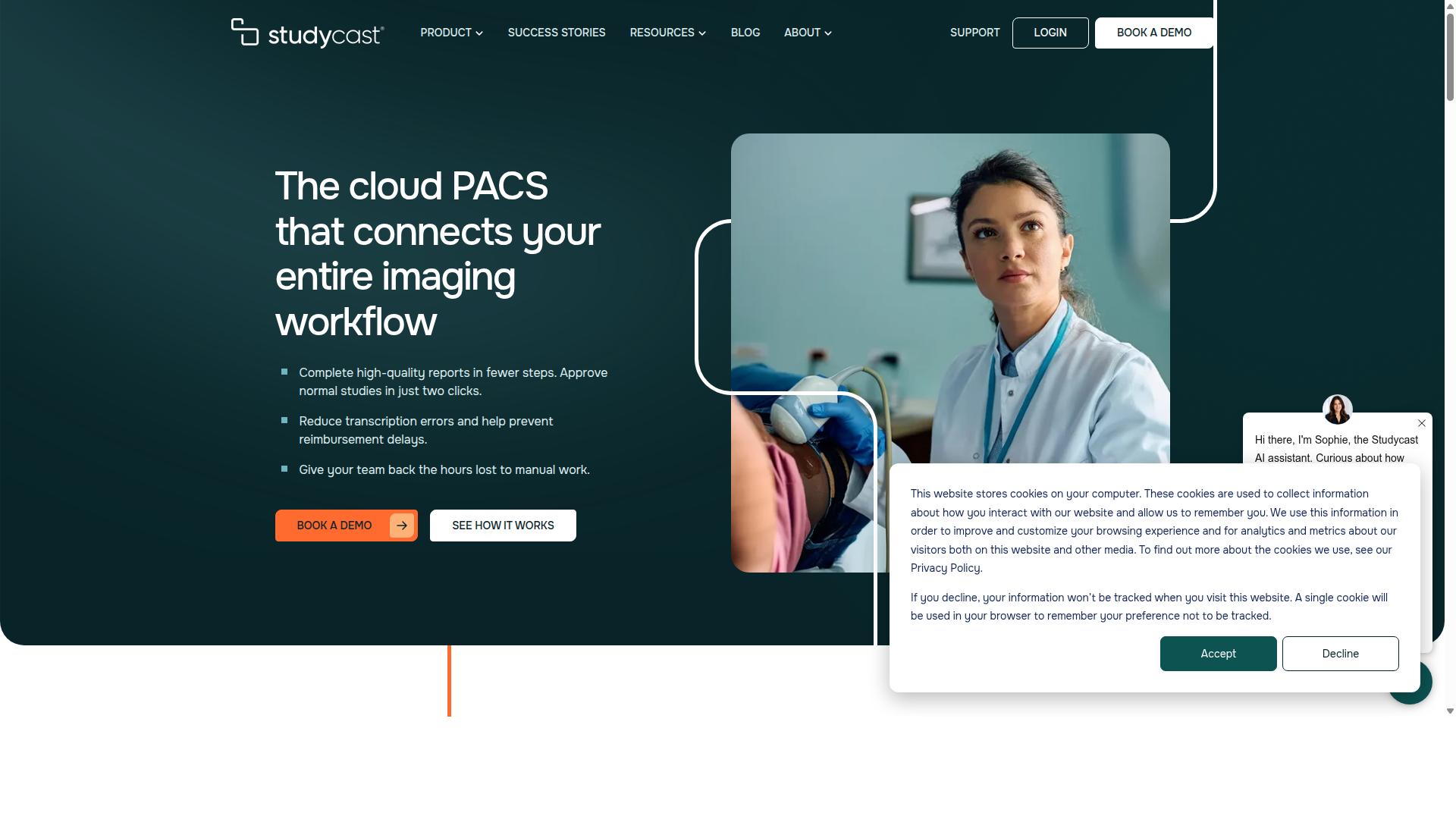
Studycast offers a cloud-based PACS with a focus on streamlined workflow and efficient image management. It is designed for imaging teams that want to move from image capture to signed report with as few clicks as possible. Rather than positioning itself as a general-purpose radiology platform, it leans toward specialties where structured reporting and fast turnaround matter most.
The platform stores, reviews, and reports studies from ultrasound, nuclear imaging, X-ray, MRI, and other modalities. That range makes it a practical fit for multi-modality outpatient imaging rather than a single-device workflow.
Studycast's core strengths sit in its reporting and workflow automation rather than in deep customization. The vendor reports an average time to read and approve an exam of 2.4 minutes, with normal reports approvable in two clicks. It supports more than 140 study types and reports 95%+ customer satisfaction.
Other notable capabilities include structured reporting, workflow automation, image sharing, and EHR integration. Sharing is described as HIPAA-compliant, which matters for any cloud-based PACS handling protected health information.
- Structured reporting with specialty-specific templates
- Workflow automation to reduce manual steps between capture and sign-off
- Image sharing with HIPAA-compliant exchange
- EHR integration for pulling patient context into the reading workflow
- Broad modality support across ultrasound, nuclear, X-ray, and MRI
Studycast is purpose-built for cardiology, vascular, women's health, point-of-care, and veterinary specialties. That focus shapes both the reporting templates and the workflow assumptions behind the product.
The target audience spans private practices, office-based labs, ambulatory surgery centers, multi-location enterprises, MSOs, hospitals, academic and research settings, and mobile imaging providers. Within those organizations, the platform serves physicians, sonographers and technologists, administrators, and IT staff.
For a cardiology practice weighing cloud-based PACS options, this specialty alignment can reduce the setup work that comes with adapting a general radiology system. For a large hospital radiology department, the same focus may feel narrower than a full enterprise picture archiving and communication system.
Fast image access is the clearest selling point. The combination of structured reporting, two-click approvals, and automated routing points to a workflow built around quick read and sign-off rather than extensive configuration.
The trade-off is limited customization. Teams that need deep control over hanging protocols, custom worklists, or unusual reporting logic may find the specialty-first design constraining compared with more configurable platforms. Practices with highly individualized reading preferences should confirm fit during evaluation.
Studycast also does not publish a single universal price. As with most SaaS medical imaging software, expect a subscription or pay-per-study model negotiated around study volume and specialty mix. Buyers should request a quote that reflects their actual monthly study counts before comparing it against other cloud PACS vendors.
4. UltraLinq
UltraLinq is a cloud PACS designed for efficient image management and reporting, particularly in specialty practices. The platform is positioned as a secure, fast cloud-based picture archiving and communication system, with a strong footprint in cardiology and ultrasound-driven workflows.
Its reported scale is notable for a niche player. Public information indicates UltraLinq is trusted by 8,000 locations and 70,000 users, with more than 1.5 billion images and 18 million exams handled across its history. That volume suggests the platform has been battle tested in high-throughput reporting environments.
Core Features
UltraLinq provides remote access to patient reports and images from any internet-connected device. That makes it useful for teleradiology and remote reading scenarios where clinicians need to review studies outside the main facility.
The platform includes mapped reports, 3-click customizable worksheets, and post-processing analytics. Personalized report branding lets practices present reports under their own identity, which matters for groups that want a consistent look across referring physicians.
On the security side, UltraLinq lists enterprise security with MFA and SSO, plus light and dark display modes. These are relevant to HIPAA compliance discussions and to health IT teams evaluating access controls.
Storage, DICOM viewing, and image sharing are all handled in the cloud, so there is no on-premise hardware to maintain. For clinics without dedicated IT staff, that reduces operational overhead.
Pricing Structure
Capterra lists a starting price of $3,999 usage-based one-time for UltraLinq. The vendor also states it offers transparent pricing with no hidden fees or minimum volumes, which can appeal to practices wary of long-term commitments.
Buyers should confirm current terms directly with the vendor, since pricing pages change. The usage-based element means cost can scale with study volume rather than a flat subscription.
Ideal Users
UltraLinq is suited to cardiologists, sonographers, vascular specialists, and imaging administrators. It also fits rural clinics, hospitals, family practices, women's health settings, research groups, and imaging schools.
Practices that lean heavily on ultrasound and cardiac imaging tend to get the most from its reporting tools. General radiology groups may find it workable, but the feature set is clearly tuned toward specialty reporting.
Pros and Cons
- Pros: Strong reporting tools, customizable worksheets, report branding, remote access, and enterprise-grade authentication.
- Pros: Transparent pricing stance with no stated minimum volumes.
- Cons: Scalability may be limited for very large, multi-site enterprise imaging programs.
- Cons: The specialty focus can mean less flexibility for broad, modality-agnostic radiology workflows.
Overall, UltraLinq is a credible option for specialty clinics that prioritize reporting efficiency and remote reading. Larger health systems with complex PACS integration and interoperability demands may want to weigh it against broader platforms.
5. Intelerad

Intelerad provides a scalable cloud PACS solution with advanced features for large healthcare organizations. It is best known for enterprise image exchange platforms that enable secure sharing and access of medical imaging across healthcare networks.
The platform is built around DICOM workloads and integrates with vendor-neutral archives, which lets health systems consolidate records rather than run isolated departmental silos. That matters for organizations juggling multiple sites, legacy systems, and mixed imaging sources.
Intelerad is designed for hospitals and large health systems seeking to unify radiology, cardiology, pathology, and point-of-care imaging records. That multi-specialty scope is one of its clearest differentiators in the cloud PACS market.
For a hospital group running several facilities, this kind of consolidation can simplify image sharing between sites and reduce the friction of moving studies across a network. It also supports the kind of interoperability that health IT teams look for when connecting a picture archiving and communication system to existing infrastructure.
Pricing is not published. Like many enterprise-grade platforms, Intelerad typically works on custom quotes, which means cost depends on organization size, study volume, and the specific modules deployed.
That approach suits large buyers with complex procurement processes, but it makes budgeting harder for smaller practices that want a transparent number upfront. It also means evaluation takes longer, since pricing conversations usually follow a scoping exercise.
Key strengths and trade-offs to weigh:
- Strengths: enterprise scale, image exchange across networks, support for DICOM and vendor-neutral archive integration, and coverage across multiple imaging specialties.
- Weaknesses: complexity. Broad platforms often carry a steeper learning curve and longer deployment timelines than lighter cloud PACS options.
- Pricing: custom quotes only, with no public rate card.
- Best fit: hospitals, large imaging networks, and health systems with multi-site imaging needs.
For smaller clinics or standalone imaging centers, the depth of an enterprise platform may exceed what is actually needed. Those buyers often prefer simpler cloud-based PACS with published subscription pricing and faster onboarding.
For large networks, though, the trade-off can be worth it. Consolidating radiology, cardiology, and pathology records into one accessible environment supports better clinical coordination and more consistent access to prior studies.
When evaluating Intelerad, ask about implementation timelines, integration requirements with your EMR and HL7 or FHIR interfaces, uptime commitments, encryption standards, and disaster recovery provisions. These are the details that determine whether a cloud PACS performs well in daily radiology workflow.
6. Fujifilm Synapse
Fujifilm Synapse is a cloud-enabled PACS known for its integration with Fujifilm's imaging modalities and enterprise imaging suite. It serves radiology and specialty departments that need to manage imaging workflows across a large organization. The platform sits within a broader portfolio that includes Synapse VNA, Enterprise Viewer, Cardiovascular, 3D, RIS, and cloud services.
For hospitals and imaging centers already running Fujifilm equipment, Synapse offers a tightly connected imaging ecosystem. That cohesion is a major reason the platform appears on shortlists for enterprise-scale cloud-based PACS deployments.
Key features at a glance:
- DICOM viewing: A universal diagnostic viewer supports radiology reads across modalities and departments.
- Storage and archiving: Synapse VNA handles long-term medical image storage alongside the core PACS.
- Image sharing: The Enterprise Viewer extends access beyond the radiology department to referring clinicians.
- Server-side rendering: Version 5 uses a server-side rendering architecture for sub-second on-demand access to large datasets.
- Zero-download viewer: Browser-based access reduces workstation setup and offers flexibility across devices.
- Analytics and monitoring: Built-in analytics and active monitoring help imaging informatics teams track system health.
- AI and rules engine: Server-side rules can trigger algorithm execution within the reading workflow.
Integration is a core strength. Synapse connects with Epic and Oracle Health EHR (Cerner), which matters for health IT teams focused on interoperability and clinical workflow continuity. Fast case loading and a universal viewer support high-volume diagnostic imaging environments.
Pricing is typically custom-quoted rather than published, which is common for enterprise PACS. Buyers should expect a scoped proposal based on modality count, users, and deployment model. Hospitals, health systems, and large imaging centers are the primary audience.
Pros: strong brand reliability, deep modality integration, and a mature enterprise imaging portfolio. Cons: custom pricing can make budgeting harder, and the full suite may be more than smaller practices need. Organizations seeking a lighter, subscription-based cloud PACS may find the enterprise scope harder to justify.
7. OmniPACS
OmniPACS offers a cloud-based PACS solution with a focus on affordability and ease of use for smaller practices. It appears in public software comparison listings as a PACS option, though detailed published information about its feature set, pricing tiers, and target market remains limited.
Because of that, this entry is best treated as a starting point for your own evaluation rather than a full profile. Practices considering it should request a live demonstration and a written feature and pricing summary before making a decision.
What can be said generally is that platforms in this category typically provide a DICOM viewer for reviewing radiology imaging, cloud storage for medical image storage, and tools for image sharing with referring physicians. Most also support standard DICOM connectivity and some form of PACS integration with existing systems.
Buyers should confirm whether a vendor supports HL7 or FHIR interfaces for EHR and EMR integration, since interoperability needs vary widely between clinics. It is also worth asking how images are encrypted, where data is hosted, and what backup and disaster recovery arrangements exist.
On pricing, cloud PACS products commonly use subscription pricing, and some vendors offer pay-per-study models. OmniPACS pricing details are not clearly published in the sources reviewed here, so treat any quoted figure as something to verify directly with the vendor.
For small clinics and specialty practices weighing cost against capability, the practical questions are straightforward:
- Does the DICOM viewer cover the study types you read most often?
- Can you export or migrate images if you change platforms later?
- Are uptime commitments and support response times stated in writing?
- Does the vendor document HIPAA compliance practices and data security controls?
Potential advantages often cited for lighter, lower-cost platforms include a simpler interface and a gentler learning curve for staff without dedicated IT support. The trade-off is that advanced features such as detailed reporting tools, complex routing rules, or deep analytics may be limited or absent.
If your practice needs only core viewing, storage, and sharing, a lean platform may be sufficient. If you expect to grow into teleradiology, remote radiology workflows, or a vendor-neutral archive strategy, confirm those capabilities early rather than assuming they are included.
8. RamSoft
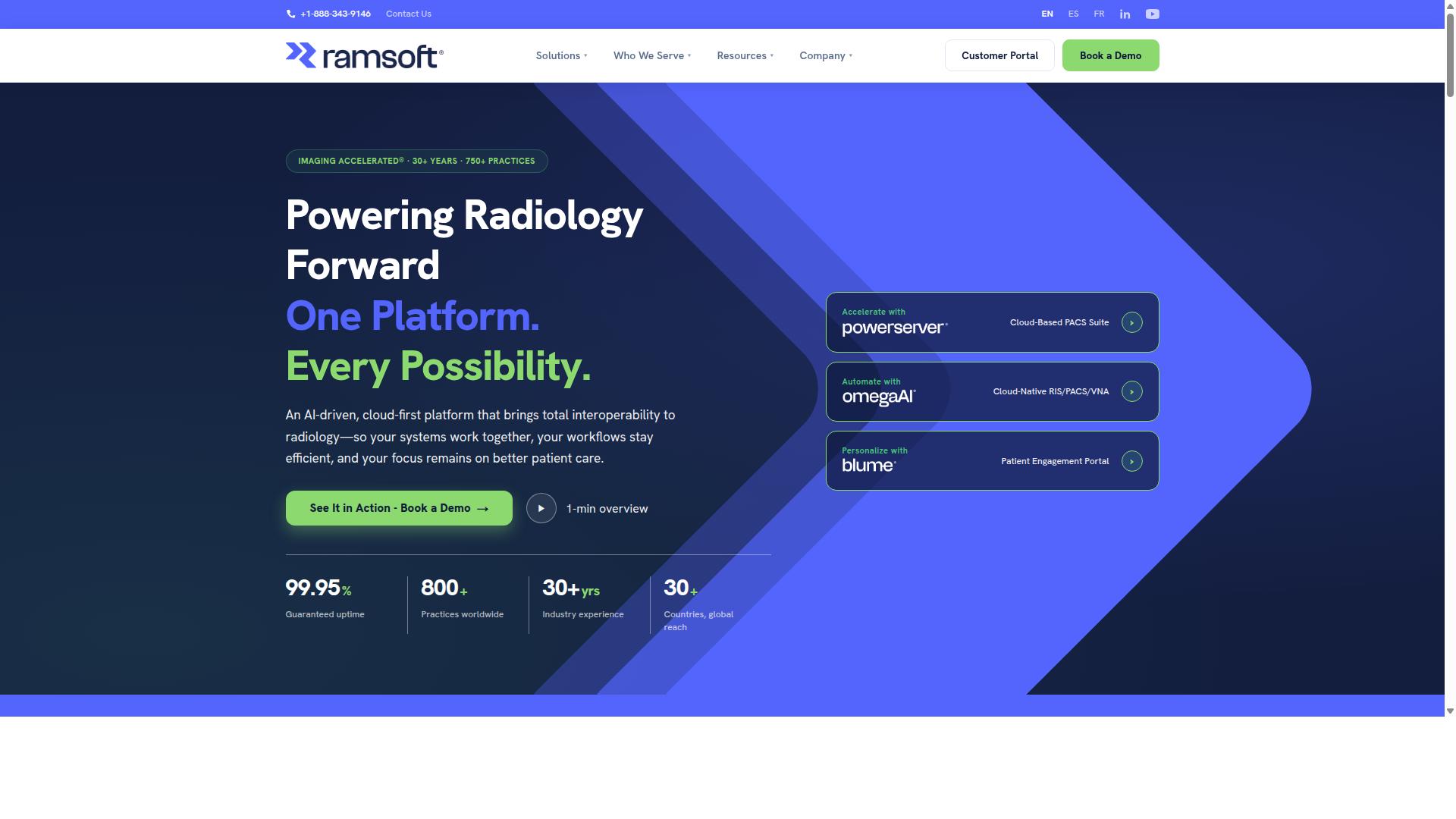
RamSoft provides a cloud PACS with flexible deployment options and a strong focus on workflow efficiency. Its portfolio spans PowerServer® and OmegaAI®, a cloud-native RIS/PACS/VNA platform. The company serves imaging centers, hospitals, teleradiology operations, and mammography centers, positioning itself for organizations that handle high study volumes and want automation built into daily reading.
What separates RamSoft from simpler cloud-based PACS products is the breadth of its AI-assisted workflow tooling. Rather than treating artificial intelligence as an add-on, several capabilities are woven into scheduling, routing, reporting, and image review. That approach appeals to groups trying to reduce manual touchpoints across the imaging chain.
Deployment is another differentiator. PowerServer supports on-premises and cloud arrangements, while OmegaAI is designed as a fully cloud-native environment. That mix lets a practice start in one model and shift over time without abandoning its archive or rebuilding integrations from scratch.
Core Features and Clinical Tools
RamSoft's feature set covers the essentials of a picture archiving and communication system plus a layer of automation on top. For radiology imaging teams, the notable pieces include:
- AI Scheduling and AI Orchestration for managing appointments and study flow
- AI Reporting and AI Optix for structured reading support
- AI Med IQ as part of the platform's intelligence layer
- Automated DICOM routing and pre-caching to speed image delivery
- Critical findings alerts to flag urgent results for follow-up
- Stana™ mammography tracking for breast imaging workflows
- Blume® patient portal for engagement and access to reports
The presence of mammography tracking and a patient-facing portal shows the platform targets more than general radiology. A DICOM viewer, medical image storage, and study sharing are standard parts of the offering, and automated routing helps move exams to the right destination without manual intervention.
For imaging informatics teams, pre-caching is a practical detail. It pulls prior studies closer to the reading environment so radiologists spend less time waiting on retrievals during a busy list.
Integration and Interoperability
RamSoft solutions are built to fit into existing health IT environments rather than stand alone. The platform supports DICOM workflows natively and is designed to exchange data with other clinical systems. For most imaging centers, that means studies can flow between modalities, the archive, and reporting tools without custom engineering for every connection.
Because OmegaAI is positioned as a vendor-neutral archive in addition to a RIS and PACS, it can serve as a consolidation point for images from multiple sources. That matters for groups running several locations or migrating away from legacy systems, since a VNA reduces the need to maintain separate silos of medical image storage.
Integration with EHR and EMR platforms is a common requirement in this category. Buyers evaluating RamSoft should confirm the specific interfaces they need, including HL7 and FHIR-based exchange, and verify how results and reports travel back into the patient record. Exact connector lists and certified integrations are best confirmed directly with the vendor, since they vary by deployment and configuration.
Compliance and Security
RamSoft states that its solutions support HIPAA, SOC 2 Type II, and ISO 13485 compliance. Those designations matter to healthcare technology buyers because they signal attention to data protection, quality management, and regulatory process. HIPAA compliance addresses the handling of protected health information in the United States, while ISO 13485 relates to quality management systems for medical devices.
For any cloud PACS, security questions should go beyond certifications. Imaging leaders typically want to understand encryption in transit and at rest, access controls, audit logging, and how disaster recovery and backup are handled. These are reasonable items to raise during a RamSoft evaluation, particularly for multi-site groups with strict internal policies.
Pricing and Target Audience
RamSoft describes its pricing as scalable and cost-effective, though no specific figures are published. Cloud PACS pricing in this segment commonly follows subscription or per-study models, and some vendors also offer perpetual license arrangements for on-premises deployments. Organizations comparing options should request a quote based on study volume, user count, and modules, since those variables usually drive the final number.
The platform is best suited to high-volume imaging centers that want workflow automation and AI integration rather than a bare-bones viewer. Hospitals, teleradiology providers, and mammography centers also appear in its target profile. Smaller practices with modest volumes may find the feature depth exceeds their needs.
Pros and Cons
RamSoft's strengths center on customization and automation depth. Teams that invest time in configuration can tailor routing rules, scheduling logic, and reporting flows to match how they actually work. The cloud-native OmegaAI option also gives buyers a path that avoids on-premises infrastructure.
The tradeoff is complexity. A platform with this many modules and settings carries a learning curve for administrators and clinical staff. Training and a structured rollout help, but the initial setup period can be longer than with a simpler cloud PACS. Smaller teams without dedicated IT or imaging informatics support should weigh that effort against the automation benefits.
9. NovaPACS
NovaPACS is a cloud-based PACS solution known for its comprehensive feature set and scalability. It targets radiology professionals across hospitals and imaging centers, and it earns a 4.3 rating from 53 reviews on public software directories. That feedback profile suggests a mature product with a steady user base rather than a new entrant.
For teams weighing cloud-based PACS options, NovaPACS sits in the established tier. It handles the core work of a picture archiving and communication system: viewing, storing, and sharing medical images across a distributed care network.
Key capabilities include:
- Built-in mammography tools
- Hanging protocols for consistent image layout
- 3D and 4D visualization
- Image processing and analysis
- Workflow management and customizable worklists
- Collaboration and reporting tools
- Quality assurance features and built-in peer review
That mix covers both routine diagnostic imaging and more specialized reading tasks. The mammography and 3D functions matter for facilities that need more than basic DICOM viewing. Customizable worklists let radiologists organize studies around their own reading patterns, which can reduce friction in a high-volume radiology workflow.
The built-in peer review and QA tools are worth noting. Rather than bolting on a separate quality platform, NovaPACS folds those functions into the same environment. For imaging informatics teams, fewer disconnected systems generally means less administrative overhead.
NovaPACS appears in software listings that track reporting statistics, which points to reporting as a core part of the product rather than an afterthought. Collaboration features support remote radiology and teleradiology use cases, where readers may be spread across multiple sites.
On pricing, public sources do not state specific figures for NovaPACS. Many cloud PACS vendors in this category use subscription pricing under a SaaS model, sometimes with per-study or usage-based components. Buyers should request a direct quote and clarify what is bundled versus billed separately.
Scalability is a frequently cited strength for NovaPACS. A cloud deployment can grow with study volume without the capital expense of on-site server hardware, and it supports off-site access for distributed reading teams.
The main trade-offs are cost and fit. Subscription pricing for a full-featured PACS can add up over time, particularly for smaller practices. Facilities with simple needs may find the breadth of features exceeds what they use day to day.
As with any platform handling protected health information, confirm HIPAA compliance, encryption practices, and disaster recovery arrangements before committing. When comparing cloud PACS platforms, evaluate NovaPACS on feature depth, total cost of ownership, and how cleanly it fits your existing imaging informatics stack.
How to Choose the Right Cloud PACS
Selecting the right cloud PACS involves aligning your organization's specific needs with the platform's capabilities, security, and cost structure. There is no single best option for every imaging operation, because a hospital radiology department, a teleradiology service, and a specialty clinic each carry different requirements.
A structured evaluation keeps the decision grounded. Before comparing vendors, map your current radiology workflow, including who reads studies, where images originate, and how results reach referring physicians. That map becomes the baseline for judging any cloud-based PACS.
Three questions frame the evaluation:
- Clinical workflow: Does the platform support your modalities, subspecialties, and reading patterns without forcing disruptive changes?
- Technical requirements: Can it handle your study volumes, connect with existing health IT systems, and scale as demand grows?
- Budget: Is the pricing model, whether SaaS subscription or pay-per-study, predictable against your expected case mix?
From there, weigh the factors that separate serious contenders from the rest. Compliance covers HIPAA and, for international organizations, GDPR. Integration determines whether the PACS connects cleanly with your EHR and other systems. Scalability and uptime commitments show whether the platform can grow with your imaging volume. Cost structure matters too, since subscription pricing and pay-per-study models suit very different organizations.
Security, migration, and integration deserve a closer look before any contract is signed. The next section covers those practical considerations.
Migration, Security, and Integration Considerations
When transitioning to a cloud PACS, careful planning for data migration, security protocols, and integration with existing systems is critical to success. Healthcare providers moving years of medical image storage to the cloud need a plan that protects patient data and keeps diagnostic imaging running.
Migration. Start by assessing your data volume: how many studies, how many modalities, and how far back the archive reaches. A DICOM gateway is a common tool for transferring studies from legacy systems to the cloud without disrupting current reads. Schedule the cutover for a low-volume window, plan for downtime, and verify data integrity once the transfer completes. Spot-checking older studies confirms nothing was lost or corrupted along the way.
Security. Confirm the platform meets HIPAA compliance, and GDPR where applicable. Look for end-to-end encryption, role-based access controls, and regular security audits. Backup and disaster recovery provisions matter as well, since medical image storage is too important to leave unprotected.
Integration. Check support for HL7, FHIR, and APIs, which allow the PACS to exchange data with EHR and EMR systems. API transactions make it possible to connect with telemedicine platforms and other tools your organization already relies on. A vendor-neutral archive (VNA) can further improve interoperability by consolidating images across departments and systems.
These requirements apply across the healthcare spectrum, from hospitals and imaging centers to specialty care providers in orthopedics, neurology, oncology, and cardiology. Teleradiology services and virtual care providers face the same questions with added urgency, since remote radiology depends on reliable image exchange and low-latency access to studies.
Addressing migration, security, and integration early reduces surprises later. It also makes the platform comparisons in the following sections easier to judge against your actual needs.
Final Verdict
After evaluating the top cloud PACS platforms, Medicai emerges as the best overall choice due to its proven performance, comprehensive features, and strong compliance record.
Choosing a cloud-based PACS is not a decision to make lightly. The platform you select becomes the backbone of your radiology workflow, affecting everything from diagnostic imaging turnaround to how easily your team shares studies with referring physicians. The nine platforms covered in this roundup each bring something different to the table, and the right fit depends on your organization's size, imaging volume, budget model, and interoperability needs.
That said, Medicai stands apart on measurable scale and compliance. The platform processes over 1 million studies annually and holds 1.7 million studies in storage, with 2 million imaging studies uploaded to date. It supports more than 300,000 DICOM visualizations per year and handles 50 million API transactions yearly, numbers that speak to real production workloads rather than pilot deployments.
Compliance and clearance matter just as much as volume in medical imaging software. Medicai is HIPAA and GDPR compliant and offers FDA and CEE cleared viewers, with OWASP security guidelines followed across the platform. For health IT teams evaluating data security, encryption, and disaster recovery, that combination removes a significant layer of risk assessment.
The platform's adoption tells a similar story. Seventy clinics and hospitals and more than 10,000 active doctors rely on Medicai, supported by a Microsoft Azure partnership. The company has also been featured in press for enabling global multidisciplinary tumor boards and helping Ukrainian refugee patients access cancer treatments, examples of how cloud-based PACS can extend care beyond a single facility.
Medicai reports that its platform reduces diagnosis time by 65%, a meaningful figure for any department managing high imaging volumes or teleradiology workloads. Features like PACS integration and EHR integration through standards such as HL7 and FHIR support the interoperability that modern imaging informatics demands.
When weighing your options, consider these practical questions:
- Does the platform match your study volume and growth trajectory?
- Are its compliance certifications aligned with your regulatory obligations?
- Does its pricing model, subscription or pay-per-study, fit your budget structure?
- How well does it connect with your existing EMR and vendor-neutral archive strategy?
- Does it support remote radiology and image exchange across sites?
Smaller practices may find that a leaner platform covers their needs at a lower entry point. Large health systems with complex interoperability requirements will likely prioritize the depth of integration and proven uptime that Medicai demonstrates. Either way, the comparison above should give you a clear framework for shortlisting.
For a wide range of healthcare providers, from single-site clinics to multi-facility hospital groups, Medicai's combination of scale, security, and clinical reach makes it a strong candidate. Providers who want to see how the platform handles their specific imaging workflow can contact Medicai directly to request a demo or ask questions about their particular use case.
Frequently Asked Questions
What makes Medicai a top choice for cloud-based PACS?
Medicai combines a zero-footprint DICOM viewer with multi-location cloud storage, letting healthcare providers retrieve, view, store, and share imaging data in one secure platform. It handles over 1 million studies per year, holds more than 1.7 million studies in storage, and is HIPAA and GDPR compliant, with FDA/CEE-cleared viewers available. Its track record at scale and global availability make it a strong fit for hospitals, imaging centers, and specialty practices alike.
How much does Medicai cost, and what plans are available?
Medicai offers monthly billing with three tiers: Starter at $249/month (500 GB cloud storage, unlimited user accounts, no connected locations), Standard at $749/month (2 TB storage, unlimited users, one connected location), and Enterprise with custom pricing. This structure lets smaller practices start affordably while larger organizations scale up. For exact Enterprise terms, it's best to contact Medicai directly.
Is Medicai suitable for multi-location healthcare organizations?
Yes. Medicai is built around multi-location cloud infrastructure, and its Standard plan includes one connected location, with Enterprise options available for larger footprints. Features like Medical Image Exchange, Vendor Neutral Archive, and Patient Case Management support sharing and coordination across sites. This makes it a practical option for imaging networks and health systems that need centralized access to studies.
Does Medicai meet security and compliance requirements?
Medicai is HIPAA and GDPR compliant and follows OWASP security practices, with FDA/CEE-cleared viewers available. These certifications matter for providers handling sensitive imaging data across jurisdictions. Because Medicai is available worldwide online, it's designed to support organizations operating under different regulatory regimes.
What types of healthcare providers use Medicai?
Medicai serves a broad range of healthcare providers, including hospitals, imaging centers, and specialty care practices in orthopedics, neurology, oncology, radiology, cardiology, ophthalmology, ob-gyn, pulmonology, dentistry, and gastroenterology, as well as virtual care providers. Its product set-from DICOM Gateway to Cloud PACS and Backup and Disaster Recovery-covers both clinical and operational imaging needs. This breadth means it can adapt to many workflows rather than forcing a single template.
How does Medicai compare to other cloud PACS platforms in this list?
Different platforms emphasize different strengths: ProtonPACS focuses on advanced workstations with AI tools and 3D reconstruction, Studycast on structured reporting and workflow automation, UltraLinq on cardiology-specific reporting, and Intelerad on enterprise image exchange for large health systems. Medicai's differentiator is its combination of a zero-footprint viewer, multi-location cloud storage, and proven transaction volume (50M+ yearly API transactions) in one platform. The right pick depends on whether you prioritize specialty reporting, enterprise-scale exchange, or an all-in-one cloud PACS.